For legal
Built for privilege — by design, not paperwork.
No vendor cloud, no third-party copy of the conversation, no bot in the meeting. The note is written and stored on a machine your firm already controls — and the app can prove that nothing left it.
Runs on a Mac with Apple silicon (M1 or later). 16 GB of memory recommended — with less, you get the transcript but not the AI-written note.
Sources
The guidance pointing lawyers toward locally deployed AI is recent and specific. Each entry is dated; verify against the source before you rely on it.
NYC Bar Association, Formal Opinion 2025-6 · Dec 22, 2025
Addresses a lawyer’s confidentiality duties when using generative AI, and the diligence owed to where client data is processed and stored.
Duane Morris advisory · Feb 2026
Among the advisories recommending AI be deployed locally or within secure firm infrastructure rather than through third-party cloud services.
ABA GPSolo · Sep 2025
Guidance in the same vein on confidentiality and AI deployment choices for small-firm and solo practitioners.
Every citation is dated. Verify it against the live source before relying on it.
This page describes how the software works — it is not legal advice. NoteGenerator keeps your recording off the maker’s servers; it does not by itself preserve privilege or make a recording lawful. Confirm your own jurisdiction’s rules on AI use, recording, and consent.
The templates for this work
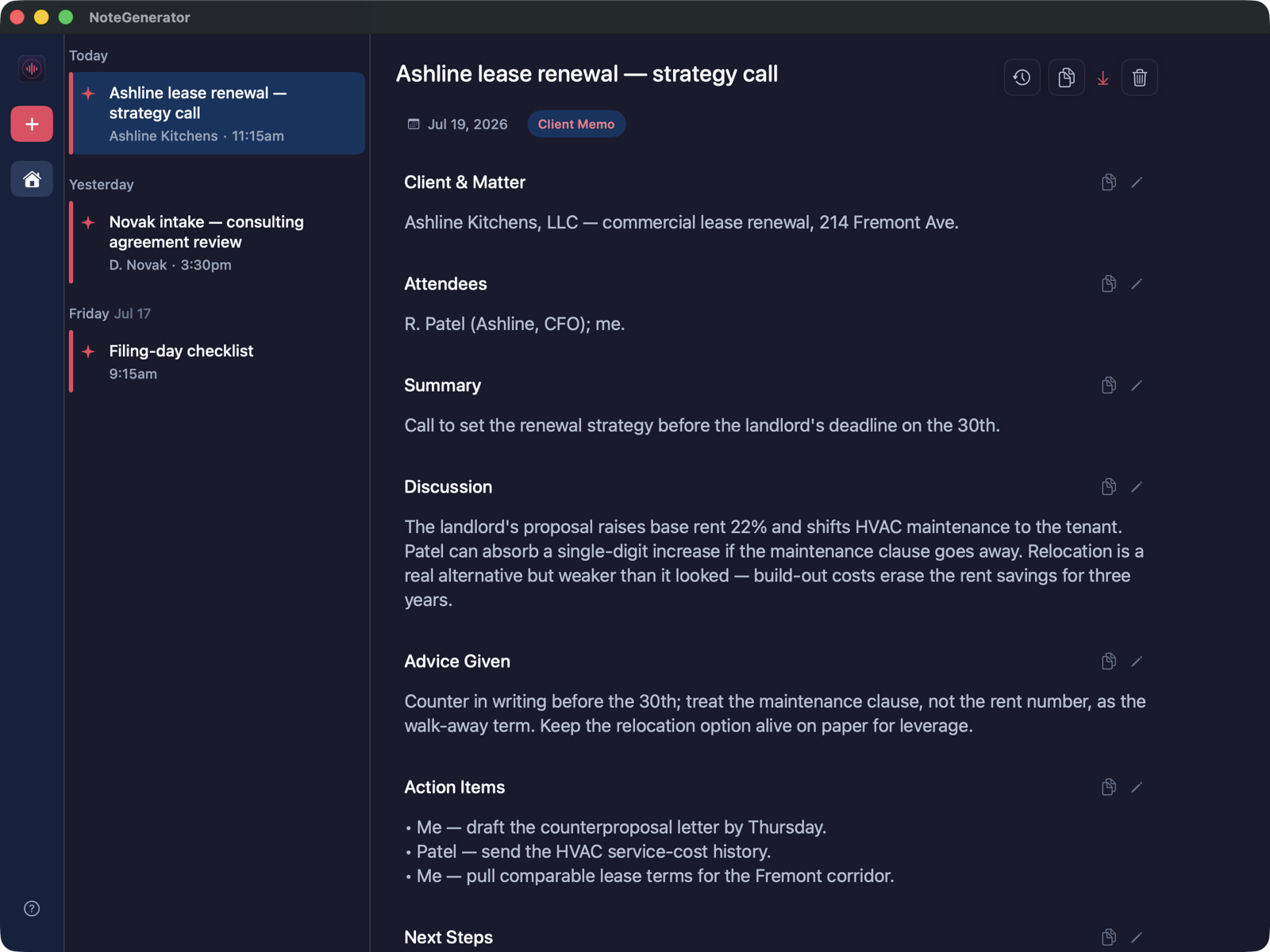
A client meeting becomes a Client Memo. A witness or source conversation becomes Interview Notes. Both generated on your Mac and stored encrypted.
A record of the client meeting, on a machine you control.
Source conversations, kept off servers.
Provable, not asserted
Don’t take our word for it. Watch the connection counter say zero.
The app shows how many times it reached the network this session — and gives you a test you can run yourself.
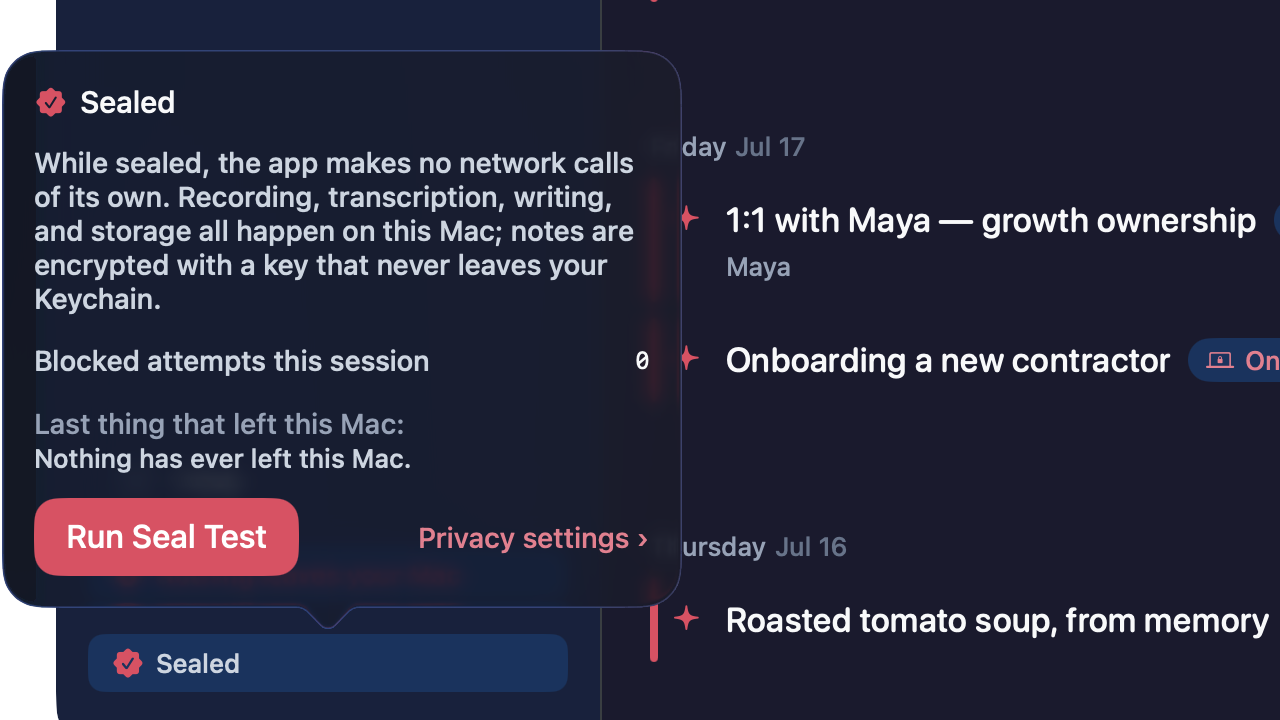
A live counter, not a promise
The app shows the number of network connections it has made this session. Once it has switched off its own ability to reach the network — what we call the seal — and the note-writing AI is installed, that number is 0, and you can watch it.
A one-tap Seal Test
Press it and the app tries to open a network connection to itself. You watch the attempt start and die before it ever reaches the network. Proof you ran yourself beats a badge we drew.
Turn off Wi-Fi. It keeps working.
Offline by architecture: recording, transcription, and note generation run with the network off. The most direct test there is.
- Works with Wi-Fi off — in a deposition prep room, on a plane, in a room where the network is not yours to trust.
First version
Try it for a week. No account, no card.
Download, drag to Applications, done. The free week is a real license.
Runs on a Mac with Apple silicon (M1 or later). 16 GB of memory recommended — with less, you get the transcript but not the AI-written note.
Not sure? Apple menu → About This Mac. You’re looking for an Apple chip (M1 or later); 16 GB or more of memory gets you the AI-written notes.
The AI that writes your notes runs entirely on your Mac, and it is big. That’s why we recommend 16 GB — with less, you can still record and get transcripts, but the note-writer needs the memory. It’s the cost of nothing leaving the machine.
Older Mac, or not a Mac at all? Tell us what you’re on — it’s how we decide what to build next.
Notarized by Apple — the first-launch dialog confirms Apple checked this exact app and found no malicious software. No account needed — the app has no login.